
EMCOMM and Emergency Management
SARTrack is not only for Search and Rescue. Radio operators passing traffic for a response, and the people running an Emergency Operation, use the same system: the same map, Log, Servers, web site and App, in the words of their own work.
Emergency communications
Amateur radio and other communications groups (AREC, ARES) supporting a response: Units in the field and at the hubs, radio checks, messages, welfare and resource traffic, all on one Log.
Emergency Management
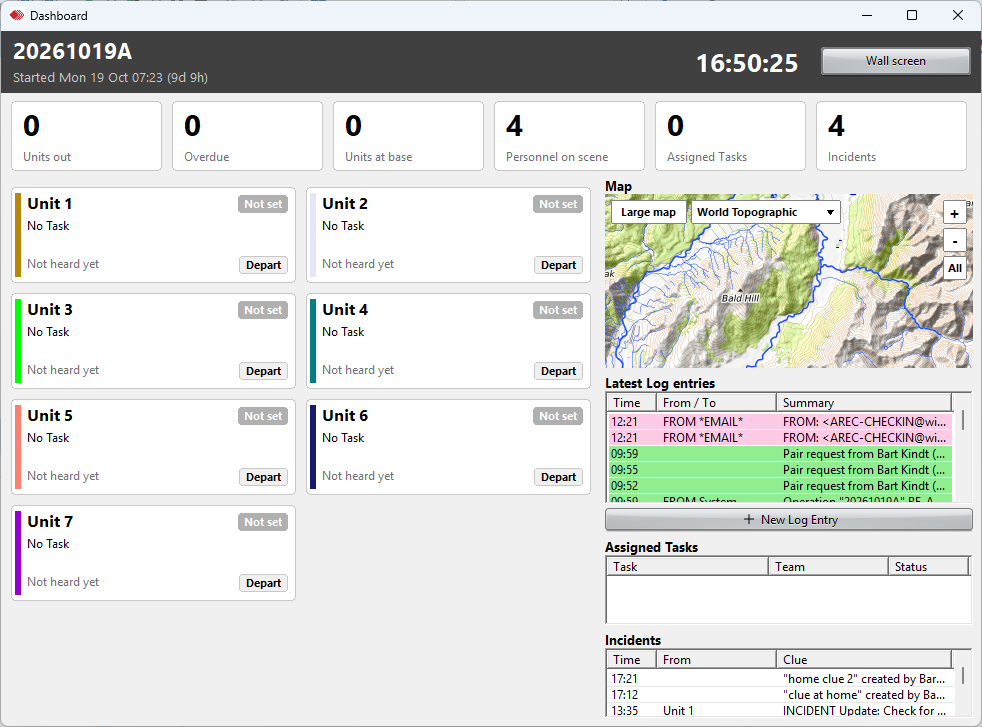
An Emergency Operations Centre or Coordination Centre: the Units and where they are, the Incidents on the map, Tasks, Sitreps and the full record of the event.
Units and Incidents
When an Operation is started as an Emergency Operation, AREC Comms or ARES Comms, SARTrack speaks EMCOMM everywhere: in every window, on the web site and in the App.
- Units instead of Teams: field Units, hubs and welfare centres, and the managing Units (ICP, EOC, ECC, NCC and IMT) that send Tasks and Manager Sitreps.
- Other Unit types too: fire trucks, ambulances, police, aircraft, vessels and single people.
- Auto Create makes all the Units at once: "Unit 1", "Unit 2" ... and the managing Units, each in its own colour.
- Incidents instead of Clues: each with its place on the map, details and photos, in the Incidents window.
- LOCSTAT and SITREP per Unit, Unit status and Unit debriefs.
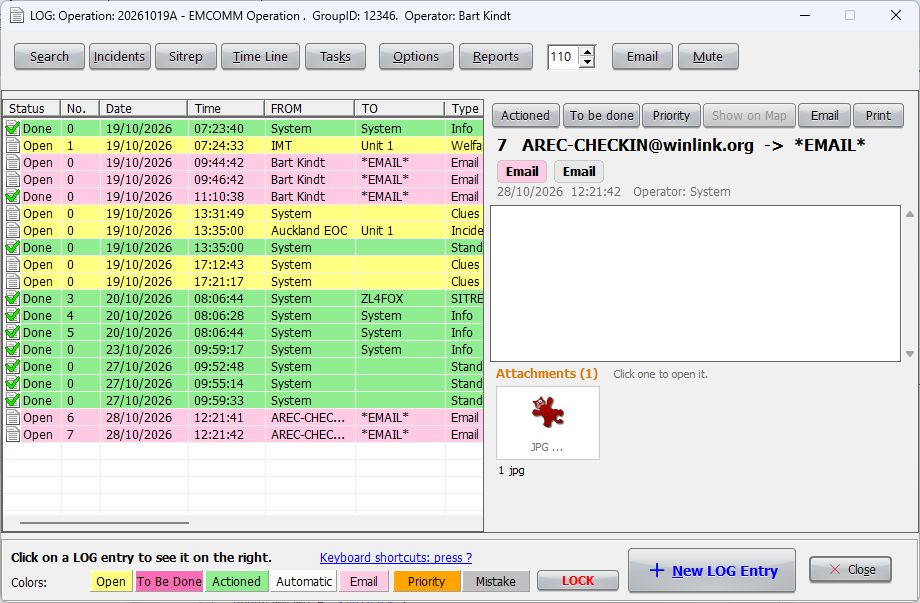
The EMCOMM Log
- Its own Log entry screen for the radio operator: From and To Units, and the time the message was passed.
- Categories for the traffic: Unit position, LOCSTAT, SITREP Unit, SITREP Manager, Incident, Task, Debrief, Welfare, Resource and Radio check.
- Priority entries stand out; entries are marked as actioned when dealt with.
- A position with the entry, and attachments such as photos and forms.
- A new Incident or Task straight from the Log entry.
- Everything on one Log, with the Time Line, Incidents and Sitreps views: a full record of the event for the debrief and any inquiry afterwards.
Winlink
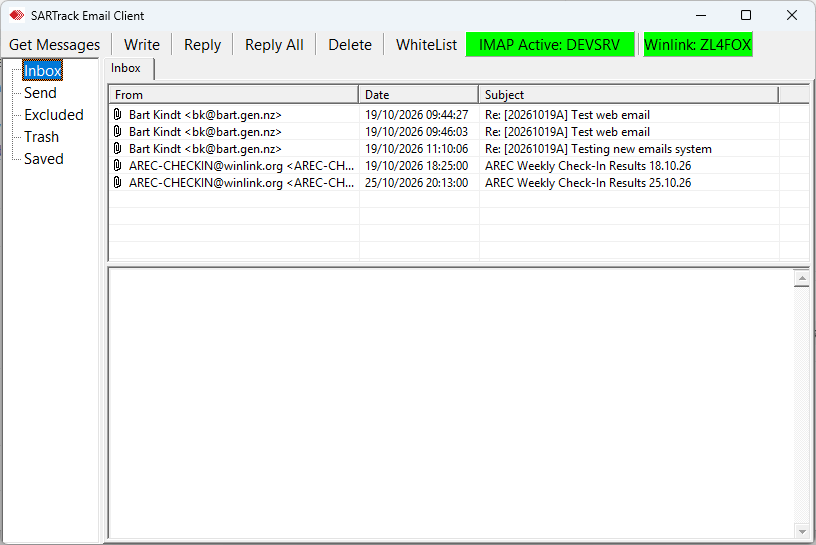
- When Winlink Express runs on the same PC, SARTrack takes its messages into the Operation by itself: incoming and outgoing, every 15 seconds.
- They are kept as the organisation's e-mail on the Database Server, so every SARTrack and the web site has them; Winlink forms are shown as forms.
- Incoming messages can go into the Operations Log as well.
- Switched on with one click in SARTrack's Email window. Messages are sent from Winlink Express itself.
Radios, trackers and the map
- APRS by radio or over the internet: amateur radio operators show on the map as they move.
- Commercial and DMR radios with GPS (Tait, Icom, Kenwood, Motorola, Hytera), satellite trackers, vessels and aircraft.
- The SARTrack App on phones: positions, Incidents with photos, messages and Tasks.
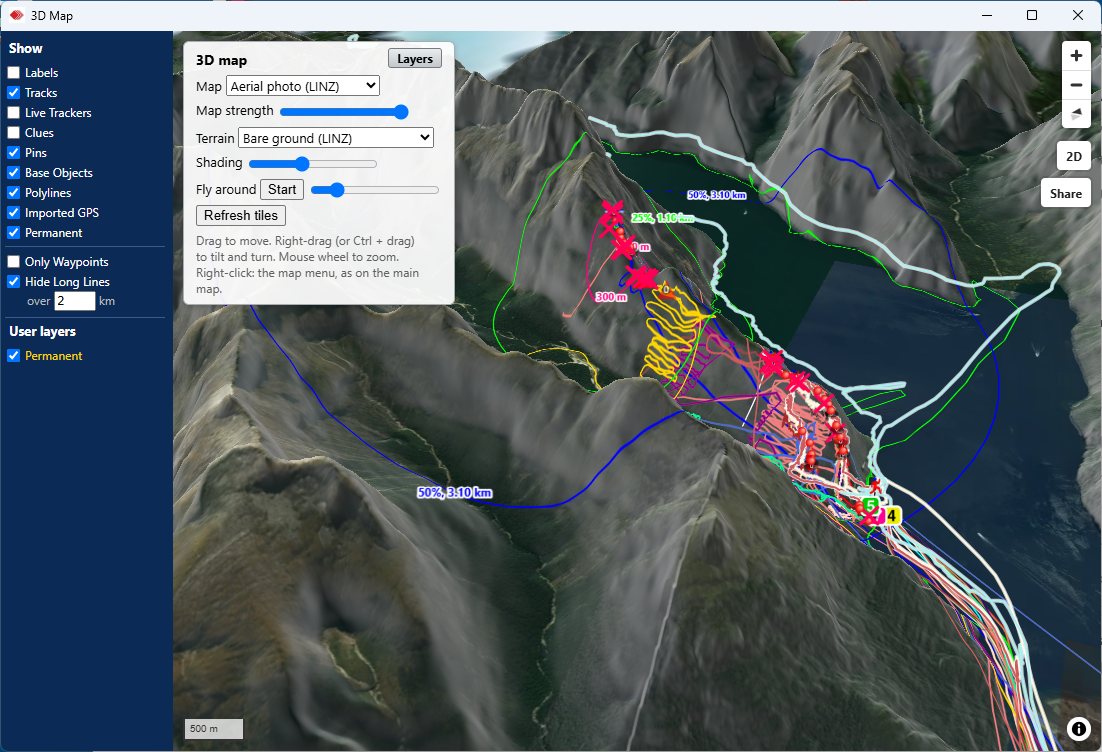
- Maps stored on the laptop for use without internet; a 3D map with the terrain.
When the network is down
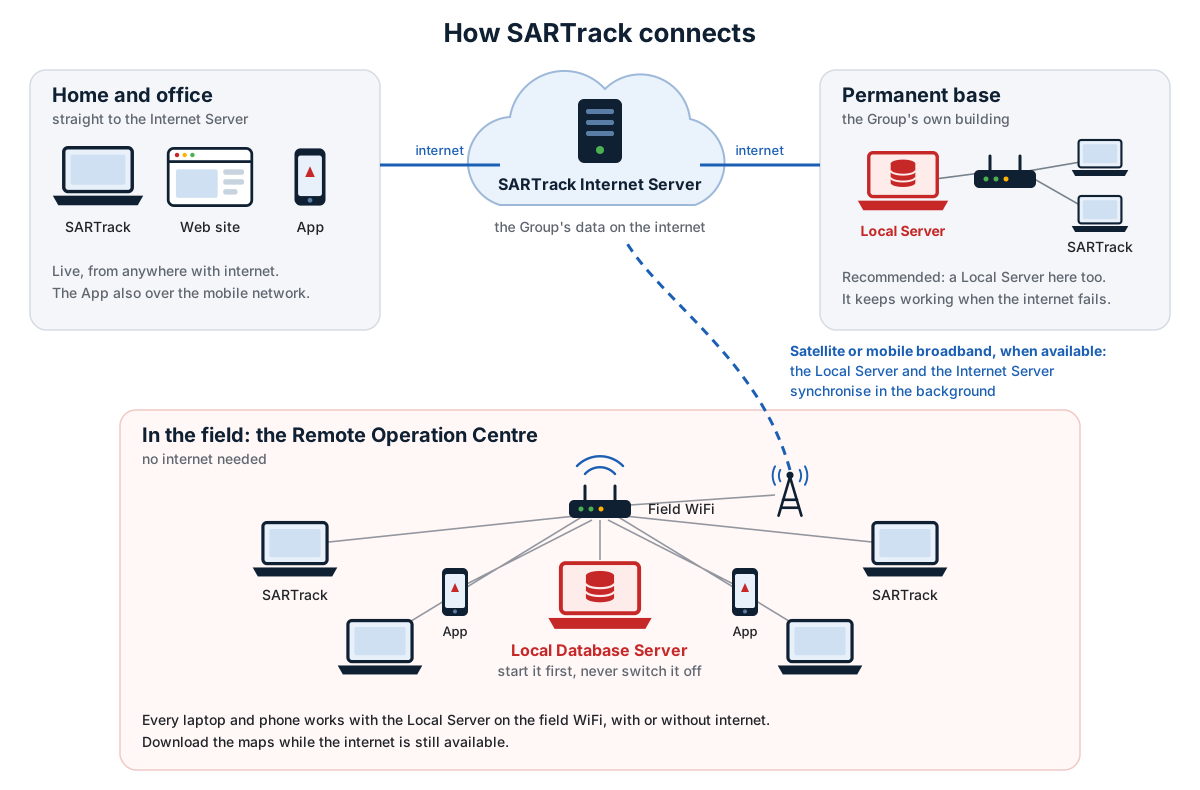
- A local Database Server on a laptop and a WiFi router: every laptop at the hub or the EOC stays in sync, without internet.
- When the internet comes back, the local Server catches up with the Internet Server, and the Operation is on the web site and in the App again.
- The web site gives a Controller or partner agency the map, Log and Sitreps in a browser. A share link shows the live map and the Sitreps to people without a login, for a set number of days.
For Emergency Operations Centres
SARTrack already runs the Units, Incidents, Tasks, Sitreps, Personnel, Equipment and Operation Periods of an Emergency Operation, on the Dashboard, the map, the web site and the App. More for Emergency Operations Centres is being built. Tell us what your centre needs.